

Install and start
By the end of this page, agboard is installed, a server is running, and the board is open in your browser. Then continue with the Quickstart.
Before you begin
You need Git, Rust with edition 2024 support, Node.js, and pnpm.
Install
Follow Install in the README to build the web UI and install agboard. The installed command lives in ~/.cargo/bin (or $CARGO_HOME/bin when CARGO_HOME is set). Check that your shell can find it:
command -v agboard
agboard --help
In PowerShell, use Get-Command agboard. If the command cannot be found, add Cargo's bin directory to your PATH and open a new shell. For a default macOS installation, add export PATH="$HOME/.cargo/bin:$PATH" to your shell profile.
Start the board
Create a project and start the server:
agboard project create "My project"
agboard serve --port 7420
Open http://127.0.0.1:7420/ and select the project in the header. Keep the server running while you use the browser or while an agent waits for you. Press Ctrl+C in its terminal to stop it. The server listens only on 127.0.0.1; choose another port with --port if 7420 is taken.
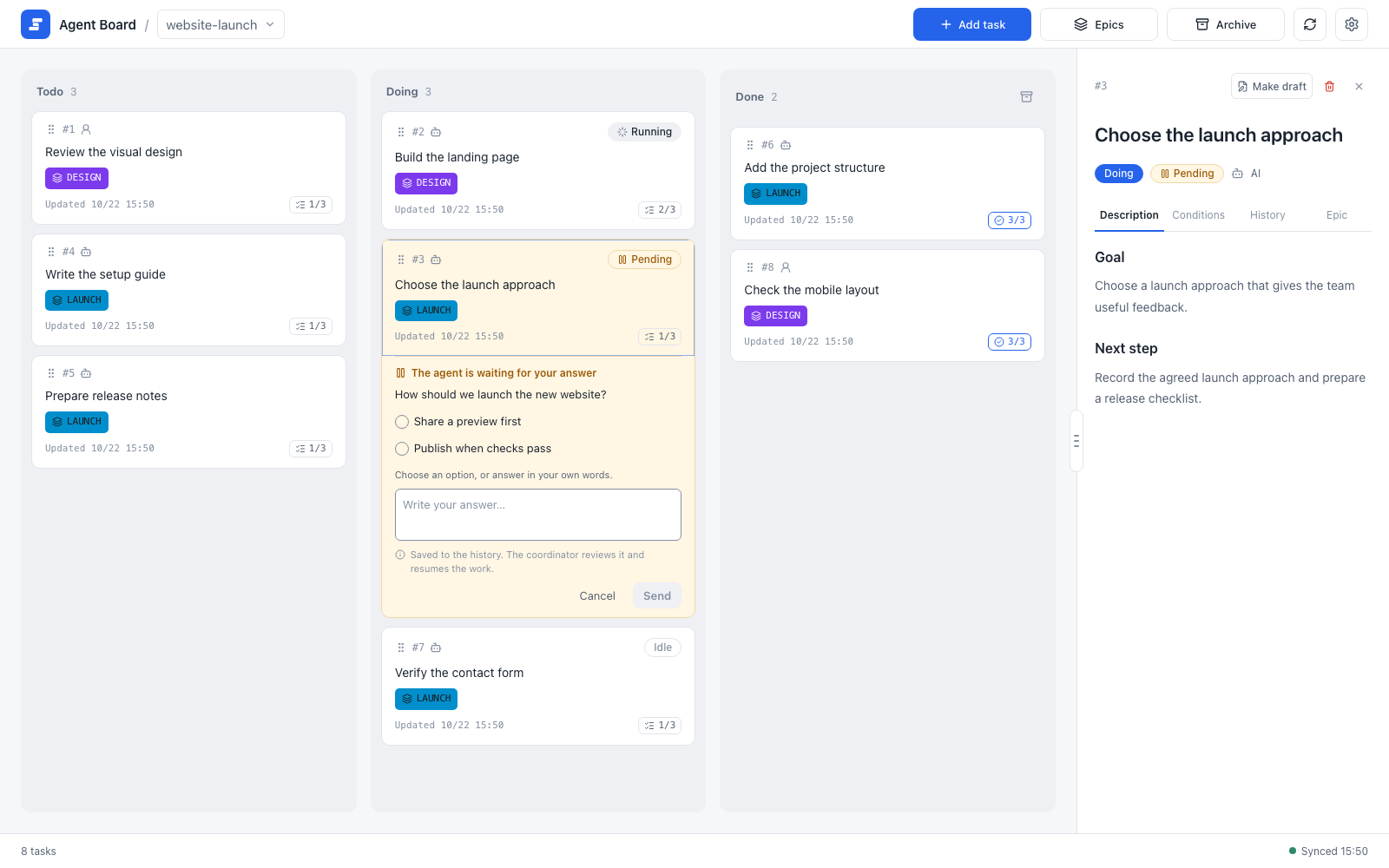
The board opens with the selected project in the header. Tasks sit in the Todo, Doing, and Done columns.
Most commands name the project explicitly with --project NAME. The examples in this guide use My project; replace it with your project's name, and use the task IDs that the CLI returns. For renaming projects and registering folders, see Data and backups.
Update
After pulling repository changes, rebuild and reinstall from the repository root:
pnpm --dir web install
pnpm --dir web build
cargo install --path . --locked --force
The CLI embeds the built web UI, so build the web UI first. --force replaces the installed version. Stop and restart agboard serve after an update to use the new executable and UI. Open boards and monitors reload themselves once the server is back, after you finish any edit or answer in progress.
Hooks and the agent skill run agboard from your PATH, so they use the installed version. A development build (cargo build, cargo run, or target/debug/agboard) is a separate executable; reinstall to make those changes available to hooks.
Next
- Quickstart: take one task from creation to Done.
- Working with agents: connect Claude Code or Codex.