
One board for people and AI agents
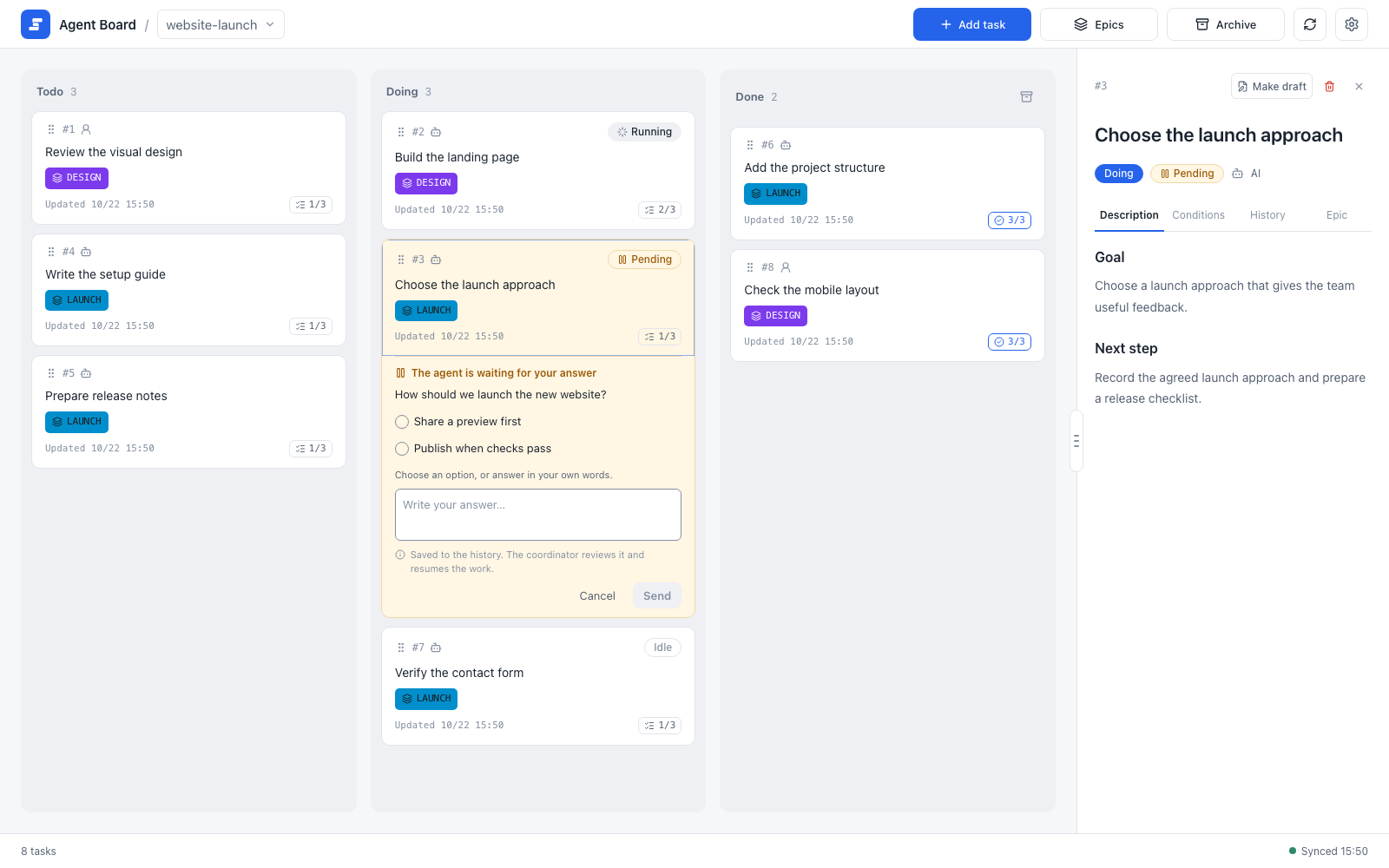
Track work in Todo, Doing, and Done, with Running and Pending states showing what the agent is doing. Answer questions directly on a task from your PC or phone.
A shared work board where users and AI agents keep work moving together.


Track work in Todo, Doing, and Done, with Running and Pending states showing what the agent is doing. Answer questions directly on a task from your PC or phone.

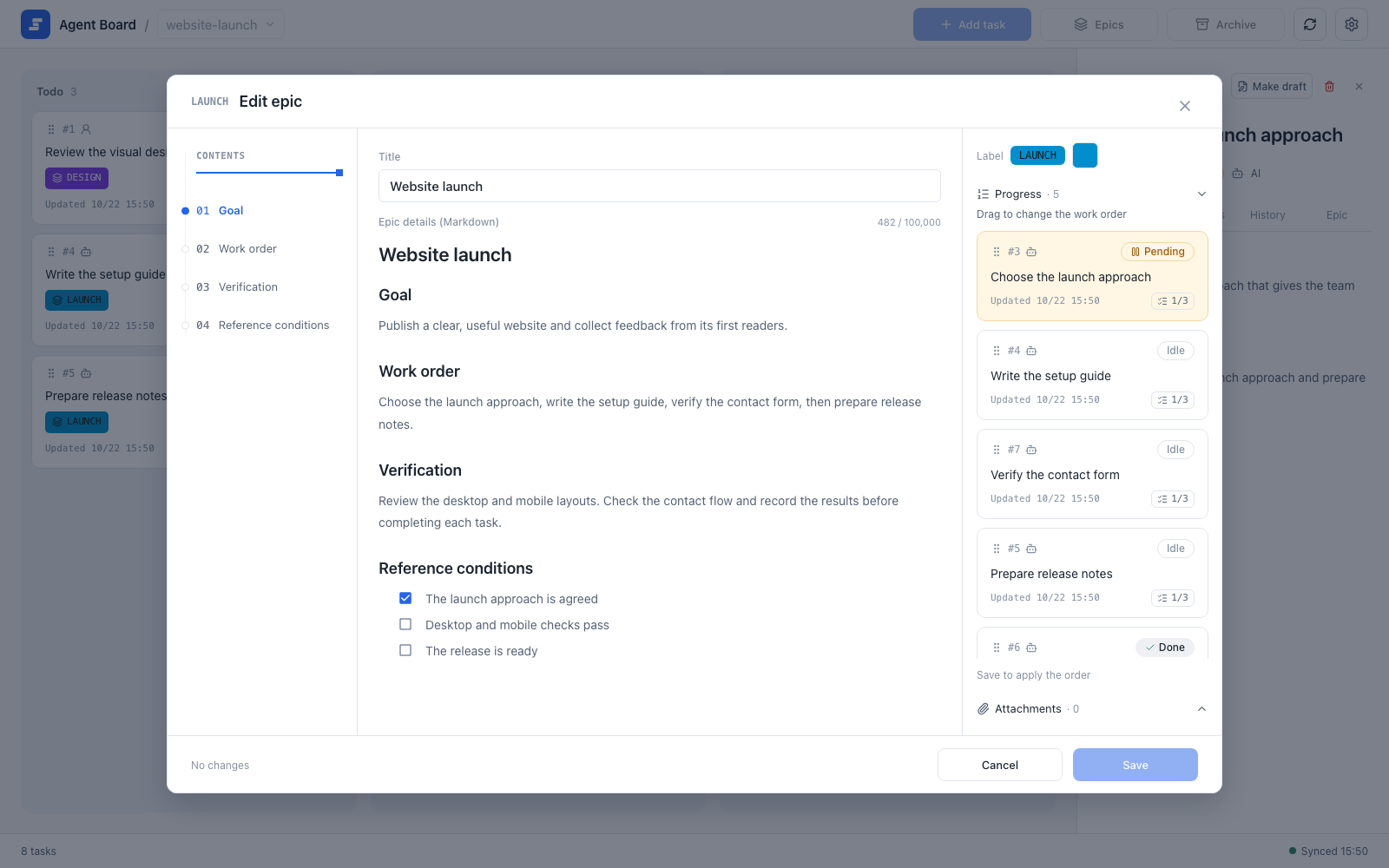
Order tasks within an epic and let agboard progress return the work that can advance. When every acceptance condition is verified, eligible AI tasks move to Done automatically.

Keep epic details in EPIC.md and tasks in TASK.md. Edit the files directly or use the rich Markdown editor. No account or hosted service required.
One task, start to finish: the agent starts the task and asks a question, you answer on the task, and the agent resumes. When every acceptance condition is checked, the task moves to Done on its own.
When an agent works for a long time, you need to see what is moving, what is waiting, and what response will unblock it. Agent Board gives users and agents one shared, history-backed board.
Epics order the tasks, and the progress table shows which work can advance next.
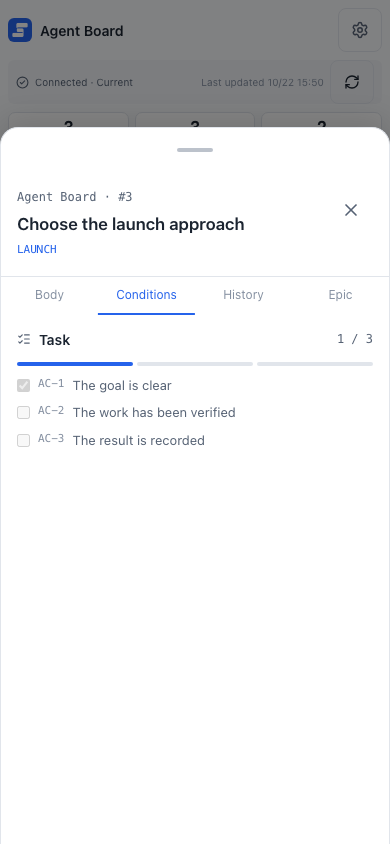
Answer decisions and check status from a bottom drawer with Body, Conditions, History, and Epic tabs.
Agent Board runs on your machine, with no account or hosted service. Install it, start the board, and bring your agent in.
Start the board
Create a project and run agboard serve, then open the board in your browser. Getting started
Let your agent register work
Connect Claude Code or Codex with a hook. The agent reads the progress table and adds tasks. Working with agents
Answer on the task
When the agent asks a question, choose an option on the task from your PC or your phone. Decisions
git clone https://github.com/FooQoo/agent-board.git
cd agent-board
pnpm --dir web install
pnpm --dir web build
cargo install --path . --locked --force